

-
×
 Sửa Máy Tính Bị Nóng Quận 3 Lấy Ngay
1 × ₫150,000
Sửa Máy Tính Bị Nóng Quận 3 Lấy Ngay
1 × ₫150,000
 Chuyên Nghiệp trong phục vụ với hơn 20 Kỹ thuật IT luôn sẵn sàng tới tận nơi sửa chữa và cài đặt ở Tphcm. Báo giá rõ ràng. 100% hài lòng mới thu tiền.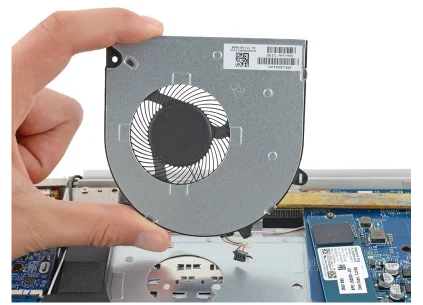






Thủ thuật Laptop
[Video] Cách mở Command Prompt (CMD) dưới quyền admin trên Windows – Thủ thuật máy tính
[Video] Cách mở Command Prompt (CMD) dưới quyền admin trên Windows – Thủ thuật máy tính Hướng dẫn cách mở Command Prompt trên Windows 10, 8/8.1, 7 chi tiết, có kèm video. Click để xem ngay!
Command Prompt trong hệ điều hành Windows trên máy tính có rất nhiều lệnh hữu ích. Nhưng ra sao để mở nó? Bài viết sau đây sẽ chỉ dẫn cách mở Command Prompt dưới quyền admin trên Windows 10, 7, 8/8.1.
1. Cách mở Command Prompt (CMD) dưới quyền admin trên Windows 10
Để mở Command Prompt có 2 cách sau:
– Mở bằng công cụ kiếm tìm
Bước 1 : Gõ ” cmd ” trên thanh tìm kiếm.
Bước 2 : Chọn Run as administrato tại app Command Prompt.
![[Video] Cách mở Command Prompt (CMD) dưới quyền admin trên Windows - Thủ thuật máy tính](/wp-content/uploads/2021/07/14/03/video-cach-mo-command-prompt-cmd-duoi-quyen-admin-tren-windows-thu-thuat-may-tinh-1.jpg "[Video] Cách mở Command Prompt (CMD) dưới quyền admin trên Windows - Thủ thuật máy tính 1")
Chọn Run as administrato tại app Command Prompt
(*) Nếu hộp thoại thông báo yêu cầu cấp quyền xuất hiện, chọn Yes để cấp quyền và tiếp tục.
– Mở bằng hộp thoại Run
Bước 1 : Nhấn tổ hợp phím Windows + I .
Bước 2 : Gõ ” cmd ” vào trong bảng > Chọn OK hoặc nhấn phím Enter .
![[Video] Cách mở Command Prompt (CMD) dưới quyền admin trên Windows - Thủ thuật máy tính](/wp-content/uploads/2021/07/14/03/video-cach-mo-command-prompt-cmd-duoi-quyen-admin-tren-windows-thu-thuat-may-tinh-2.jpg "[Video] Cách mở Command Prompt (CMD) dưới quyền admin trên Windows - Thủ thuật máy tính 2")
Nhập cmd vào hộp thoại Run
2. Cách mở Command Prompt (CMD) dưới quyền admin trên Windows 7
– Mở bằng công cụ kiếm tìm
Vào Start > Gõ ” cmd ” vào ô kiếm tìm > Chuột phải tại cmd.exe > Chọn Run as administrator .
![[Video] Cách mở Command Prompt (CMD) dưới quyền admin trên Windows - Thủ thuật máy tính](/wp-content/uploads/2021/07/14/03/video-cach-mo-command-prompt-cmd-duoi-quyen-admin-tren-windows-thu-thuat-may-tinh-3.jpg "[Video] Cách mở Command Prompt (CMD) dưới quyền admin trên Windows - Thủ thuật máy tính 3")
Mở Command Prompt trên Windows 7 bằng công cụ search
– Mở bằng hộp thoại Run
Nhấn tổ hợp phím Windows + R > Gõ ” cmd ” > Chọn OK hoặc nhấn phím Enter .
![[Video] Cách mở Command Prompt (CMD) dưới quyền admin trên Windows - Thủ thuật máy tính](/wp-content/uploads/2021/07/14/03/video-cach-mo-command-prompt-cmd-duoi-quyen-admin-tren-windows-thu-thuat-may-tinh-4.jpg "[Video] Cách mở Command Prompt (CMD) dưới quyền admin trên Windows - Thủ thuật máy tính 4")
Mở Command Prompt trên Windows 7 bằng Run
3. Cách mở Command Prompt (CMD) dưới quyền admin trên Windows 8/8.1
– Mở từ Start
Nhấp chuột phải lên thanh Start ở góc dưới bên trái màn hình, chọn Command Prompt (Admin) .
![[Video] Cách mở Command Prompt (CMD) dưới quyền admin trên Windows - Thủ thuật máy tính](/wp-content/uploads/2021/07/14/03/video-cach-mo-command-prompt-cmd-duoi-quyen-admin-tren-windows-thu-thuat-may-tinh-5.jpg "[Video] Cách mở Command Prompt (CMD) dưới quyền admin trên Windows - Thủ thuật máy tính 5")
Chọn Command Prompt (Admin)
– Mở bằng công cụ kiếm tìm
Gõ ” command prompt ” vào ô tìm kiếm > Chuột phải tại Command Prompt > Chọn Run as administrator .
![[Video] Cách mở Command Prompt (CMD) dưới quyền admin trên Windows - Thủ thuật máy tính](/wp-content/uploads/2021/07/14/03/video-cach-mo-command-prompt-cmd-duoi-quyen-admin-tren-windows-thu-thuat-may-tinh-6.jpg "[Video] Cách mở Command Prompt (CMD) dưới quyền admin trên Windows - Thủ thuật máy tính 6")
Mở Command Prompt trên Windows 8 bằng công cụ search
Sau lúc mở thành đạt thì sẽ thấy dòng lệnh “” C:Windowssystem32> “”.
![[Video] Cách mở Command Prompt (CMD) dưới quyền admin trên Windows - Thủ thuật máy tính](/wp-content/uploads/2021/07/14/03/video-cach-mo-command-prompt-cmd-duoi-quyen-admin-tren-windows-thu-thuat-may-tinh-7.jpg "[Video] Cách mở Command Prompt (CMD) dưới quyền admin trên Windows - Thủ thuật máy tính 7")
Dòng lệnh xuất hiện khi mở thành công
Nếu không sẽ thấy “” C:Usertên máy tính> “”.
![[Video] Cách mở Command Prompt (CMD) dưới quyền admin trên Windows - Thủ thuật máy tính](/wp-content/uploads/2021/07/14/03/video-cach-mo-command-prompt-cmd-duoi-quyen-admin-tren-windows-thu-thuat-may-tinh-8.jpg "[Video] Cách mở Command Prompt (CMD) dưới quyền admin trên Windows - Thủ thuật máy tính 8")
Dòng lệnh xuất hiện lúc mở chưa thành đạt
Một số sản phẩm Laptop đang mua bán tại PCI Computer:
Bài viết trên chỉ dẫn cách mở Command Prompt trên hệ điều hành Windows 10, 8/8.1/ 7. Chúc các bạn thành công.
máy tính,windows 10,mở command prompt dưới quyền admin,mở cmd dưới quyền admin,mở cmd
Bài viết (post) [Video] Cách mở Command Prompt (CMD) dưới quyền admin trên Windows – Thủ thuật máy tính được tổng hợp và biên tập bởi: suamaytinhpci.com. Mọi ý kiến đóng góp và phản hồi vui lòng gửi Liên Hệ cho suamaytinhpci.com để điều chỉnh. suamaytinhpci.com xin cảm ơn.